Help centre ✌️
The GPS tracker for everyone
Frequently asked questions
Filters the questions shown on this page (multiple words allowed).
Flashbird One, Air & Ultra (2026)
What is the new Flashbird 2026 lineup?
Pegase (legacy range) and the Flashbird line are vehicle GPS trackers built around our apps and, depending on the model, a subscription for tracking and security services.
Flashbird One, Flashbird Air, and Flashbird Ultra are the three trackers in our 2026 range. They complement Flashbird Original (the first Flashbird, launched in 2023, now called “Flashbird Original” to distinguish it—often still referred to simply as “Flashbird”).
The pre-order period announced through 31 March 2026 inclusive is closed. The range is now in general sale.
Shipping (2026 range): new orders usually follow standard lead times—dispatch within about a week after validation, then delivery often within about a week in France and Europe (depending on carrier, stock, and period). Wave shipping milestones communicated during pre-order now apply only to orders placed in that window; for the live status of your parcel, rely on your order confirmation and order tracking.
Typical timelines (outside specific promotions or stock situations): the same applies to Flashbird Original, Pegase (if still available from a reseller), and accessories.
- One: wired to the vehicle battery, very responsive live tracking, Smartkey optional.
- Air: not wired to the vehicle battery—place in the vehicle; long-life internal battery, USB-C charging cable included, 10 s tracking, Smartkey optional.
- Ultra: wired install, 1 s tracking, anti-jamming, proximity radar (helps locate the vehicle inside a building—not speed enforcement radar), Smartkey included.
Indicative public price: One €99, Air €169, Ultra €299 — the prices and offer shown on our site at purchase apply.
Orders / shipping: delivery times depend on your order date, stock, and the offer shown; the information shown on our website at purchase and your order confirmation apply.
Detailed comparison: Flashbird One / Air / Ultra.
Video: One, Air and Ultra comparison (in French).
How do I install Flashbird One, Air and Ultra?
Flashbird One and Flashbird Ultra connect to the vehicle battery (cable included): remove the seat, run the harness, connect red to + and black to −, then fix the device with the supplied hook-and-loop strips. Flashbird Air needs no electrical connection: charge it, pair it in the app, then attach it wherever you choose with the supplied strips.
Watch the One, Air and Ultra installation video (in French).
Where can I order Flashbird One, Air, or Ultra?
- Order Flashbird One
- Order Flashbird Air
- Order Flashbird Air for bicycle (bikes, e-bikes, cargo bikes)
- Order Flashbird Ultra
If you already own Pegase, Flashbird Original, or an older Flashbird and want a trade-in / migration offer, see this Google Form.
What is Flashbird Air for bicycle?
Flashbird Air for bicycle is the Flashbird Air offer for bikes and e-bikes: the same device, same price, and same subscription plans as Flashbird Air for motor vehicles, with a dedicated product page and store product 60283.
- Order Flashbird Air for bicycle
- Order Flashbird Air (motorbikes, cars, and other motor vehicles)
Mount the device on the frame (not inside the frame tube), in a pouch, or under the saddle. GPS does not replace a physical lock.
How do I install Flashbird Air on a bike?
Flashbird Air for bicycle is wire-free: mount the device on the frame, in a pouch, or under the saddle, then pair it in the app. Recharge via USB-C (cable included).
Do not place the device inside the frame tube. For wired motor vehicles, use Flashbird Air for motor vehicles or Flashbird One / Ultra instead.
On first use, hold the centre button for about 6 seconds (until it vibrates) to power the tracker on, then complete pairing in the app (see also “I installed my Flashbird Air but it does not respond” in this section).
False alerts on a bike (rack, shared storage): what can I do?
On a bike, alerts can trigger if it is moved when it should stay secured: shared racks, communal bike rooms, transport in a van, and similar situations.
- Use a Smartkey (optional on Flashbird Air) to briefly disable anti-theft when you are using the bike.
- In the app, adjust anti-theft sensitivity if your plan allows it.
- If alerts keep firing without a theft, contact support and mention Flashbird Air for bicycle plus how you usually park the bike.
What is Flashbird Air for bicycle battery life on a bike?
Flashbird Air for bicycle uses the same device as Flashbird Air: a built-in 6400 mAh battery — up to 12 months on standby and up to 3 months with active tracking (figures from the Flashbird Air product specs; real-world life depends on alerts, network conditions, and how often you ride).
With no vehicle battery on a bike, recharge via USB-C (cable included). If you ride regularly, plan occasional top-ups; charge level is shown in the app.
A paired Smartkey does not mean continuous Bluetooth listening while parked: the search starts when movement is reported (see “How does Flashbird Air detect the Smartkey?” in Flashbird One, Air & Ultra (2026)).
For motorbikes, cars, and other motor vehicles, see Flashbird Air for motor vehicles.
My bike was stolen with Flashbird Air for bicycle — what should I do?
Act immediately when you get an anti-theft alert or see the bike moving in the app:
- Follow the live position (about every 10 s) and, if needed, share the location link with contacts or law enforcement.
- Contact the police and keep your report reference.
- Declare the theft in the Flashbird app (see What happens if my vehicle is stolen?) for post-theft assistance, depending on your plan (Flashbird Cops® on eligible offers).
Flashbird is not a mechanical lock and does not guarantee recovery. Police and recovery support depend on authorities and your plan.
What subscription do Flashbird One, Air, and Ultra use?
These trackers require a subscription to work; 1 month is included with purchase. Plans are separate from Flashbird Original.
- Subscription "Pause" — €2.99 / month (monthly only): anti-theft alerts, real-time vehicle position.
- Subscription "Standard" — €49 / year (or €4.99 / month): advanced anti-theft alerts, real-time position, geofencing (calls if the vehicle leaves a zone), trip recording, driving statistics.
- Optional (Subscription "Standard" plan only; Flashbird Ultra only) crash detection and automatic emergency call: +€1 / month.
- Optional (Subscription "Standard" plan only) additional tracker (2026 range): +€2 / month.
Crash detection is not available on Flashbird One or Flashbird Air. On Flashbird Original Moto, eligibility depends on your Flashbird Original subscription plan (separate from the 2026 plans above) — see About Flashbird.
Activation and billing are handled in the app and your account on our website after the tracker is linked.
In the box (by model): One and Ultra ship with a power cable; Air ships with a charging cable. The Smartkey is optional on One and Air, and included on Ultra.
Several trackers? Each Flashbird Original needs its own subscription. On the 2026 range, the “additional tracker” option (+€2 / month) can add another tracker to the same account, subject to the terms shown at signup — this option does not apply to Flashbird Original plans (see the dedicated question below).
Does the “additional tracker” option (+€2 / month) apply to Flashbird Original?
No. The “additional tracker” add-on at +€2 / month is for the 2026 range (One, Air, Ultra), subject to the terms shown at signup. For Flashbird Original, each tracker needs its own subscription; this add-on does not replace that.
Can I use the 2026-range subscription plans with Flashbird Original?
Yes, except the Subscription "Pause" plan (reserved for One, Air, and Ultra). Other 2026-range plans may apply to Flashbird Original depending on the options offered in the app; if unsure, contact support.
How does the referral program work?
Referrals are available in the app: you can share your code with someone close to you (family, friends). You cannot refer yourself.
Since the 2026 range pre-order closed (31 March 2026), referrals are generally available again in the app. Some one-off commercial campaigns may still exclude them temporarily. The terms shown in the app at checkout still apply.
What is the radar on Flashbird Ultra for?
It is a proximity radar to find your vehicle more easily nearby (often useful after a theft if the vehicle is hidden in a garage or storage unit). It is not related to roadside speed cameras.
I installed my Flashbird Air but it doesn’t respond—how do I power it on the first time?
On first use, press and hold the centre button for about 6 seconds (until the tracker vibrates) to power on Flashbird Air. Then continue pairing and setup in the app. After unboxing, charge the device with the included USB‑C cable if needed.
If trips are not being recorded even though everything looks connected: make sure the device is charged enough and repeat this power-on step (~6 s until it vibrates) before your next ride. If it still fails: support.
How do I read the LEDs and button on Flashbird Air?
Flashbird Air has three LEDs: GNSS (satellites), network (cellular), and battery / power.
Normal behaviour: after power-on, the LEDs usually turn off automatically after about 8 minutes (unless an “always-on LEDs” setting is enabled).
Power on: hold the button for more than 6 seconds → about 1 second of vibration and all LEDs light up (the device needs sufficient internal voltage—see the manual).
Quick diagnostic (“health check”): 5 presses within 5 seconds (tracker already on) → LEDs stay active for 100 seconds so you can read status:
- GNSS: off if GPS is disabled; solid if a satellite fix is OK; blinks 1×/s while searching.
- Network: solid when connected; blinks 1×/s while searching.
- Battery: solid if charge ≥ 90 %; blinks 1×/s between 10 and 90 %; blinks 2×/s if < 10 %.
Power off: 9 presses within 9 seconds, then hold the last press for about 3 seconds → vibration and shutdown (about 120 seconds may be required before you can power on again).
A short single press: short vibration and a brief battery LED flash—normal tactile feedback; GNSS / network LEDs may stay “asleep” between communications.
For first use and trip recording, see also “I installed my Flashbird Air…” above. If in doubt: support.
How should I tell support which tracker I have (One, Air, Ultra, or Original)?
So we can help quickly, state clearly whether you have Flashbird Air, Flashbird Air for bicycle (bike offer), One, or Ultra (the 2026 range) or Flashbird Original (purchased before March 2026, sometimes still called just “Flashbird”). For Smartkey issues, also say whether it came with Original or the 2026 range.
How do I activate my Smartkey (Flashbird One, Air, or Ultra)?
Steps depend slightly on which tracker you have.
Flashbird Air
- First use: press and hold the Smartkey button for about 8 seconds to activate it.
- Day-to-day: the tracker searches automatically for the Smartkey when movement is reported (it does not listen continuously while parked). Keep it on you. A short press is still possible; it is not required. Anti-theft alerts are then adapted for that trip. Details: “How does Flashbird Air detect the Smartkey?” below.
Flashbird One and Flashbird Ultra
- First use: press and hold for about 10 seconds to activate the Smartkey.
- Day-to-day: press the Smartkey for about one second (until the red LED flashes briefly), near the vehicle, to arm or disarm anti-theft as appropriate; follow any prompts in the app.
If detection still fails: check the battery and insertion direction (see the battery replacement video), or the FAQ “Why isn’t my Smartkey detected?” under The app — Anti-theft alerts.
How does Flashbird Air detect the Smartkey (battery life)?
Flashbird Air (and Flashbird Air for bicycle) does not listen for the Smartkey continuously while the vehicle is parked, even if a Smartkey is paired. That protects the tracker’s battery life.
When the tracker reports movement, it starts a Bluetooth search. The search stays on while moving and stops when parked.
Nothing to set in the app. Keep the Smartkey on you. A short press on the current Smartkey is still possible: it is not required for this search.
Flashbird One, Ultra and Original do not work this way: they search for the Smartkey differently (listening / a delay after movement). See also “How do I activate my Smartkey” above.
What are crash detection and automatic emergency calling?
Motorcycle feature with Liberty Rider as partner: if a crash is detected, you get a phone alert with a chance to cancel, then an automatic emergency call with GPS position.
To use this with Flashbird Original Moto on an eligible plan, or with Flashbird Ultra (2026 range) when the crash detection add-on (+€1/month) is available and enabled, you need an active Flashbird subscription (or a “no subscription” purchase on Flashbird Original); no separate Liberty Rider subscription is required. The feature is not available on Flashbird One, Flashbird Air, or Flashbird Original Auto.
Coverage is geographically limited: it applies to users resident in France, Belgium, Italy, the Netherlands, or Luxembourg, for travel in a country list shown in the app (Western Europe and certain territories; see the app for details).
Can I turn off crash detection and emergency calling?
Yes. Where the feature is available for your account and vehicle, you can disable crash detection (and the related emergency call) directly in the app. The exact settings depend on your plan; if unsure, contact support.
I had a crash but emergency assistance did not trigger—what should I do?
First check that crash detection is enabled in the app (and the add-on subscribed on Flashbird Ultra if applicable), that you were in a covered area, and that your phone had network at the time of the crash.
If everything looks correct, contact support with the date, location, your plan, tracker model, and what happened in the app (alert received or not, accidental cancellation, etc.).
Where is my data hosted? Is there an API or Home Assistant support?
Our infrastructure is located in France, the Netherlands, and Germany.
A public GraphQL API is documented here: Apollo Studio — My Graph. Community projects exist (e.g. flashbird-rides, an unofficial Home Assistant add-on flashbird-homeassistant); we do not officially maintain them.
Are Flashbird Original Smartkeys compatible with the 2026 range?
For now, compatibility is not guaranteed between Smartkeys shipped with Flashbird Original and One / Air / Ultra trackers. We will announce it if interoperability becomes available.
I have Flashbird Original: what happens to my subscription if I switch to a Flashbird One, Air, or Ultra?
We can move you to the 2026-range subscription plans with a pro rata credit for what you have already paid on your current plan, subject to the terms shown in the app at migration or our support team if in doubt. For a trade-in path to the new range, you can also use the dedicated form.
I’m upgrading from Pegase or Flashbird Original to the 2026 range—what should I do with my old tracker?
Pegase: once your new tracker is installed, the old unit can be de‑activated; you can dispose of it following your local rules for electronic waste (WEEE).
Flashbird Original: the old device remains working. You can fit it on another vehicle or sell it after unlinking it from your account in the app.
SMT Performances & purchasing
Who is SMT Performances?
SMT Performances is a Nantes-based company specialising in vehicle GPS trackers (including Flashbird and the legacy Pegase range). Pegase and Flashbird Original: design, PCB manufacturing, plastics, and assembly in France. Flashbird One, Air, and Ultra (2026): app, services, customer care, final assembly, and logistics in France, with European and non-European suppliers for hardware design and hardware assembly.
Head office: SMT Performances, La cantine du numérique, 40 rue de la Tour d’Auvergne, 44200 Nantes, France.
Walk-ins: this is our registered office only—we do not receive the public (no on-site pick-ups or drop-offs). You can still meet us at dealer open days or trade shows (for example the Lyon motorcycle show).
Where can I buy your trackers?
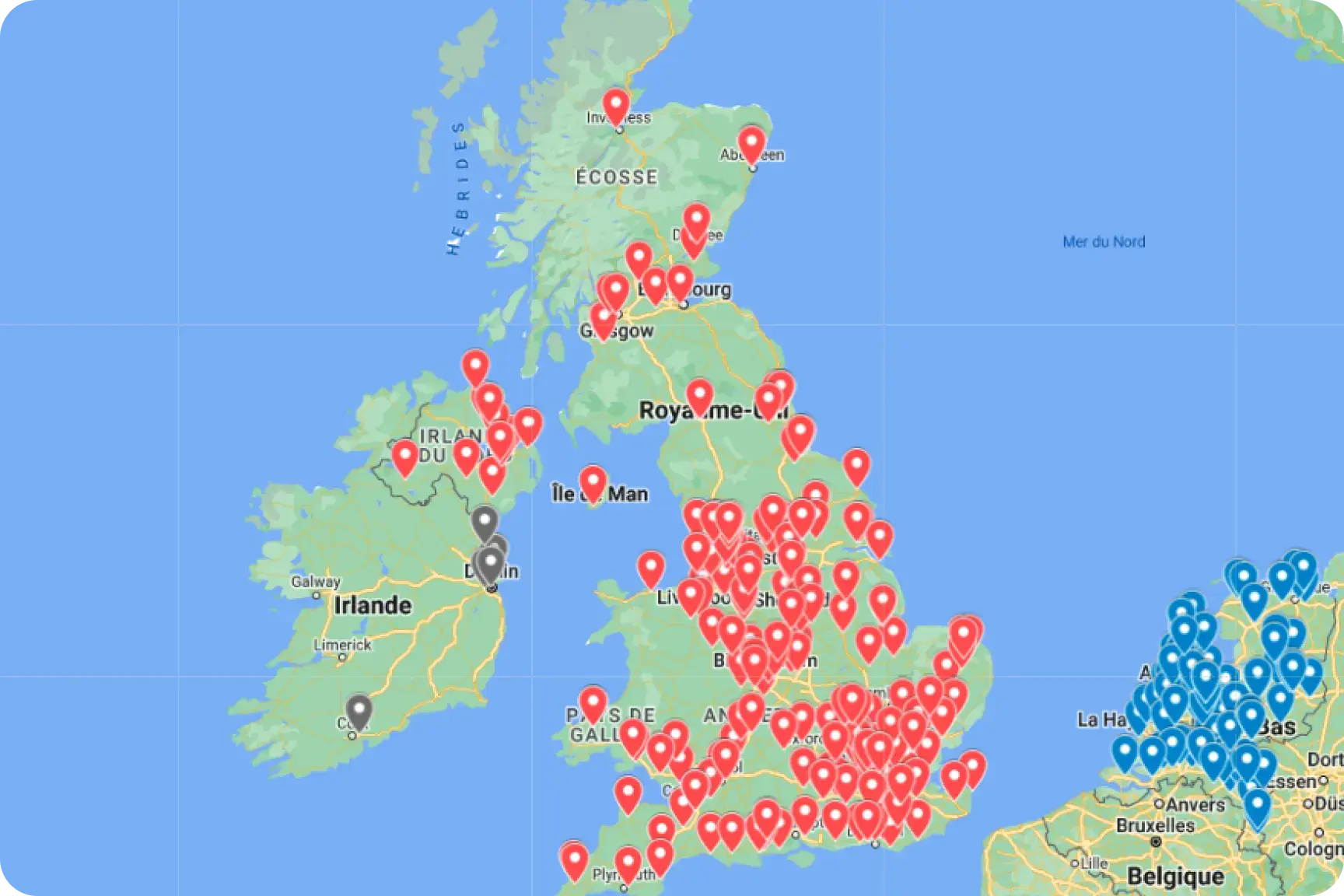
Products are sold directly on our website and through a network of distributors and resellers.
You can also order online from Speedway, La Bécanerie or Tech2Roo.
- Dealer map / list: Jotform
- Business / fleet: professional contact form
- Partners, distributors, retailers: partner form
Can I buy Flashbird in a physical store?
Yes. Our trackers are available from many accessory shops and dealerships (for example Speedway). A retailer that does not yet list us can still contact us to order and resell our products. For the dealer map or to become a reseller, see also “Where can I buy your trackers?”.
Track my order
Use our dedicated page: order tracking.
Where do you ship?
We ship to most countries and territories (Europe except the United Kingdom, overseas territories, North America, Maghreb, and more).
Exception: the United Kingdom — we no longer ship to the UK because of border and customs constraints. If checkout rejects a UK address, that is expected. Please contact us so we can find a solution.
Are the app, website, and support available in several languages?
Yes: the mobile app, website, and customer support are available in French, English, German, Dutch, Italian, and Spanish, among others.
Retail packaging and the printed quick-start guide are generally provided in French and English.
About Flashbird 🛰️
What is “Flashbird Original”?
Flashbird Original is the first Flashbird tracker sold from 2023 (often still called just “Flashbird”). It is separate from the 2026 range (One, Air, Ultra), which has different use cases, options, and subscription plans.
For purchase plans (Subscription "Original Easy", Subscription "Original Standard", Flashbird Original (no subscription)) and the Flashbird Auto variant, see the subscription questions in this same section and our product pages on smtperformances.com.
Can I use a “motorcycle” tracker on a car, or the other way around?
Yes. You can fit the tracker on a vehicle type other than the one on the box: the idea is the same (connection to the vehicle battery).
- Flashbird: Flashbird Auto is optimised for car use, but is not car-only. You can ask us to adjust the configuration for the best result if needed (support if unsure).
- Pegase can equip a car as well—pick the version that matches your battery type (see the Pegase help on this page).
How do I turn on track mode or lap timing?
You don’t need to turn anything on on compatible models (Flashbird Original, One, and Ultra): circuits are recognised automatically—there is no setting in the app for track mode or lap timing. Flashbird Air does not offer lap timing.
How is Flashbird different from Pegase?
Network: Flashbird Original (Moto / Auto) uses 4G LTE-M / NB-IoT and 2G (where the network allows). The 2026 One, Air, and Ultra trackers use 4G Cat-1 and 2G (where the network still allows it). Pegase is 2G-only, which raises long-term coverage questions depending on the country (see our 2G article and the country list).
Features: Smartkey, device firmware updates (Flashbird—not on Pegase), richer network status in the app, post-theft assistance with a dedicated partnership (Flashbird Cops®) on eligible plans, and crash detection / emergency calling (Emergency®) on Flashbird Original Moto (where the plan and region allow) and on Flashbird Ultra (2026 range) when the crash detection add-on is subscribed—not on Flashbird Original Auto, One, or Air, or on Pegase.
Subscription: Pegase usually works without a subscription. The former worldwide / overseas subscription is no longer sold. Flashbird depends on the plan—see the subscription questions here and Flashbird One, Air & Ultra (2026).
Flashbird Original, One, and Ultra support track mode and lap timing (circuits recognised automatically); Flashbird Air offers tracking, trip history, and live location sharing, without lap timing. Pegase also supports track mode. Size and accuracy vary by model.
How do I install the Flashbird GPS tracker?
For Flashbird One, Air and Ultra (2026 range), use the dedicated installation video instead (One and Ultra wired to the battery; Air with no cable). The steps below are for Flashbird Original.
The GPS tracker sticks under your motorcycle seat using the supplied double-sided adhesive. Make sure the Flashbird logo faces the sky (avoid metal or carbon parts directly above it). Then connect the cable to the battery using the supplied universal connector.
Click here to watch the tutorial video
English installation walkthrough: YouTube
Flashbird must be connected directly to the motorcycle battery, not to a starter relay, for example.
Download the installation guide
Note:
- A correct installation of your Flashbird GPS tracker helps ensure the best possible GSM and GPS performance—avoid having metal or carbon parts above your GPS tracker.
What is the Smartkey and what does it do?
The Smartkey is a Bluetooth key fob, included or optional depending on your Flashbird model. When it is near the vehicle, the tracker can recognise the owner and adjust anti-theft behaviour (for example disabling alerts for the next trip when it is detected at the start of a ride). You can pair several Smartkeys with the same tracker, and the same Smartkey with several trackers on your account; each fob has a serial number on its label.
Flashbird Air (and Flashbird Air for bicycle): Bluetooth search happens when movement is reported, not continuously while parked — see “How does Flashbird Air detect the Smartkey?” in Flashbird One, Air & Ultra (2026).
It is only compatible with Flashbird trackers, not with Pegase. Cross-compatibility between Original Smartkeys and the 2026 range (One / Air / Ultra) is not guaranteed for now — see the dedicated question below.
Updates: there is currently no end-user Smartkey firmware update you need to run; if a major change were offered, we would announce it (by contrast, Flashbird trackers regularly receive updates via the app).
Accessories: order Smartkey / cables (Flashbird) (or the Flashbird Auto accessories page for the car variant).
Is the Smartkey and cable included with my tracker?
It depends on the model. On Flashbird Original, a Smartkey and the right power cable are usually included with the device (unless your offer states otherwise). On the 2026 range: One and Ultra ship with a power cable; Air ships with a charging cable (USB-C). The Smartkey is optional on One and Air, and included on Ultra. For spare parts: Flashbird / motorcycle accessories, Flashbird Auto accessories.
My Smartkey doesn’t show 100% battery on delivery—is the cell worn out?
No, that is normal. Smartkeys are shipped with a battery already installed and ready to use. Between production and delivery the cell drains slightly—you can use it immediately without any setup. Replacing the battery is straightforward when it is eventually depleted.
How do I unlink a Smartkey from my tracker?
Unlinking a Smartkey is not always fully self-service in the app. Open a support ticket with the serial numbers of the tracker and the Smartkey involved.
I lost my Smartkey nearby—how can I find it?
In the app: My account ➡️ Settings ➡️ Bluetooth scan — you can see nearby Bluetooth devices (including the Smartkey) to help locate it.
You can also use a Bluetooth scanner app on your phone to list nearby BLE devices (the Smartkey is visible over Bluetooth, unlike the Flashbird tracker, which stays discreet on purpose). If it no longer appears or is lost for good, contact support for unlinking or replacement depending on your situation.
How do I update my Flashbird GPS tracker?
Here is how to update Flashbird Original (the 2023 tracker with a visible button and LED):
- In the app: Settings ➡️ Device update, then follow the on-screen steps.
- On the tracker: hold the button for about 10 seconds until the LED turns white, then blue (update mode), then release.
- On the phone: Bluetooth on (on Android, also enable location), and a stable internet connection (Wi‑Fi or mobile data).
Help video: tutorial
Important: the update must be done with the tracker properly powered (connected to the vehicle battery or a suitable supply for your lead / lithium / electric configuration).
Flashbird One, Air, and Ultra (2026): when an update is available, follow the steps shown in the app and your model’s manual. Buttons and LEDs are not the same as on Flashbird Original—do not reuse the “single button / white then blue LED” procedure without checking your Quick Start Guide.
If it still fails: technical support.
Where can I see my Flashbird Original firmware version?
The tracker firmware version is shown in the card on the map on the home screen and on the Vehicle screen (similar placement for Flashbird One, Air, and Ultra depending on app screens).
Firmware updates: Flashbird Original / Auto, Flashbird One, Air, and Ultra receive over-the-air firmware updates when we publish them; follow in-app notifications and Settings / Device update flows. Pegase is not updated this way.
How do I check that Flashbird is working properly?
For Flashbird Original, press the button briefly and read the LED:
- Solid green: connected to the network and good GPS signal — normal operation (anti-theft + live tracking).
- Solid blue: connected to the network but weak GPS — move the tracker (less metal / carbon above it, logo to the sky), then take a longer ride. If it stays blue, the GPS module may be faulty: contact support.
- Solid red: no satisfactory network connection — check 4G coverage, change location, ride again. If it stays red, the radio module may be faulty: contact support.
- Off or blinking: power issue (cable, vehicle battery, cut-off threshold).
Yellow may indicate a SIM problem (open the device, reseat the card) — otherwise support.
Hold ~8 s: LED turns white then the device reboots if you release before blue (see reset article).
Hold ~10 s: LED turns blue — firmware update mode (follow the app).How do I reset the Flashbird GPS tracker?
Is your Flashbird GPS tracker stuck or misbehaving?
To reset Flashbird Original:
- Hold the button for 8 seconds.
- When the LED turns white, release before it turns blue (blue is update mode, not a simple restart).
- Wait 1–2 minutes for the tracker to reboot, then ride a few kilometres to confirm normal behaviour.
If doubt remains, also check that the battery profile (lead / lithium / electric) matches your vehicle, then see the help centre or open a ticket with support. Step-by-step article: How to reset your Flashbird GPS tracker (French; diagrams apply to all regions).
Why does Flashbird need a subscription? Does it work without one?
It depends on the model.
Flashbird One, Air, and Ultra (2026 range): a subscription is required; 1 month is included with purchase. Subscription "Pause" / Subscription "Standard" plans and options (crash detection, extra tracker) are summarized under Flashbird One, Air & Ultra (2026).
Flashbird Original (2023 tracker): depending on how you bought it, you may have a plan with subscription—for example Subscription "Original Easy": €99 device + €9.99 / month or €99 / year subscription; Subscription "Original Standard": €299 device + €4.99 / month or €49 / year subscription (amounts per the offer shown)—or a “no subscription” purchase (hardware paid up front, full app access without a recurring subscription). In Spain and Italy, Subscription "Original Standard" and Flashbird Original “no subscription” hardware prices are typically €199 and €599 respectively (instead of €299 and €699)—check your local product page. Store checkout (“no subscription”): France checkout; Spain: finalizar compra. Without an active subscription on a plan that requires one, you do not get position or trip history in the app.
The subscription funds hosting, connectivity, services (including Flashbird Cops®, Emergency® where applicable), updates, and support.
Pegase generally works without a subscription. The former worldwide / overseas subscription is no longer sold.
Is the subscription tied to the tracker or to my account?
Your subscription is tied to your user account, not only to the tracker hardware. If you sell your tracker, unlink it from your account first; the buyer will need their own subscription (or the offer shown at activation), depending on the model.
I have several trackers—do I need several subscriptions?
It depends on the model.
Flashbird Original: each tracker needs its own subscription (monthly or annual—your chosen billing period is usually shared across all trackers on the account).
Flashbird One, Air, and Ultra (2026 range): a main subscription is required; the “additional tracker” add-on (+€2/month, Standard plan only) lets you add another 2026-range tracker under the conditions shown at checkout — see Flashbird One, Air & Ultra (2026).
Pegase generally works without a subscription. The former worldwide / overseas subscription is no longer sold.
For many trackers or professional / fleet needs, contact us for a tailored solution.
How do I manage my Flashbird subscription?
You can manage your Flashbird subscription from the user account page on our website.
Then select the plan you want (monthly or yearly) and follow the payment process. Common payment options include card, PayPal, SEPA direct debit, Google Pay, and Apple Pay (the exact list depends on your country and the checkout shown).
How do I cancel my subscription?
You can cancel your subscription at any time from your account area on the website (account icon, top right) or in the app (My account ➡️ Manage my subscription), depending on the options shown.
Your subscription stays active until the end of the period already paid (current month or year): you keep access to services until that date.
On models that require a subscription (Flashbird One, Air, Ultra or Flashbird Original plans with subscription), without an active subscription you generally no longer have live position or trip history in the app after that date.
Cancelling does not affect the legal warranty on the hardware — see the dedicated question under Other questions.
I just took out an annual subscription—how does the free month work?
When you link a Flashbird Original to your account, one month of subscription is included. If you choose an annual plan, paid time starts after that free month: your annual renewal is therefore about 13 months later, not 12, unless a separate promotional offer says otherwise. On the 2026 range (One, Air, Ultra), the included month is shown on our site and at activation; the sequence (free period, then paid period) works the same in principle. To change billing period (monthly ↔ annual): go to the user account page (account icon) and tap “Change” next to the billing period; payment is adjusted pro rata under the current offer.
When should I subscribe to Flashbird?
When you link the tracker to your account, one month of subscription is usually included (unless a special promotion says otherwise). You can then subscribe directly in the app, monthly or annually, depending on your model’s plans—see Flashbird Original or Flashbird One, Air & Ultra (2026).
Can I switch from Subscription "Original Easy" to Subscription "Original Standard" or to the Flashbird Original (no subscription) option?
Yes, at any time with an additional charge. This is not self-serve: open a support request so our team can change your plan.
About Pegase 🛰️
How do I install the Pegase GPS tracker?
The Pegase GPS tracker sticks under your motorcycle seat using the supplied double-sided adhesive. Make sure the Pegase logo faces the sky (avoid metal or carbon parts directly above it). Then connect the cable to the battery using the supplied universal connector.
Pegase must be connected directly to the motorcycle battery, not to a starter relay, for example.
Note:
Before contacting customer support, make sure your Pegase is compatible with your battery. **Specifically, use a lead-acid Pegase on a lead-acid battery, or a lithium Pegase on a lithium battery. (see: How do I identify my vehicle’s battery?)
**
A correct installation of your Pegase GPS tracker helps ensure the best possible GSM and GPS performance—avoid having metal or carbon parts above your GPS tracker.
Lead or lithium—which Pegase model for my vehicle’s battery?
Pegase includes a cut-off circuit to protect the vehicle battery from over-discharge. This cut-off triggers at a specific battery charge threshold.
Because lead-acid/AGM and lithium batteries have different voltage curves, the cut-off threshold cannot be the same for both types.
Therefore, there are two versions of Pegase, one for lead-acid batteries and one for lithium batteries:
- On a “lead” battery, the cut-off triggers around 12.5 V.
- On a “lithium” battery, it triggers around 13 V.
For Pegase, this means you must choose at purchase the Pegase that matches your battery!
Note:
- A “lead” Pegase on a lithium battery may work, but risks over-discharging your battery.
- A “lithium” Pegase on a lead-acid battery will not work, or will work very poorly.
How do I check power to the Pegase GPS tracker?
Follow these steps to verify power to your Pegase GPS tracker:
Check the cable connections: the red terminal is firmly connected to the red battery post on your vehicle, and the black (or transparent) terminal is firmly connected to the black post.
Check that the cable fuse is in good condition.
(see: order a new Pegase cable)Then go for a ride of about ten minutes.
If your ride is detected, your Pegase GPS tracker is powered correctly.
If your ride is not detected, your Pegase GPS tracker is likely not powered correctly—contact our customer support.
Note:
- Pegase must be connected directly to the motorcycle battery, not to a starter relay, for example. Examples of connections you should not copy:
How do I reset the Pegase GPS tracker?
Is your Pegase GPS tracker stuck on its GPS position? Or showing inaccuracies?
To resolve this kind of issue, follow the reset procedure below:
⚠️ Before performing a reset, first verify that the Pegase GPS tracker is powered correctly.
⚠️ Perform the procedure with the engine running and outdoors if possible.
After the reset, wait several minutes and go for a 10-minute ride. (Steps 2 and 3 of the procedure will complete on their own.)
How does Pegase work with 2G?
Pegase uses the 2G network, which carriers plan to switch off in France between late 2026 and early 2027. Because this topic is complex, you will find all the useful information in this article, which we update regularly:
For a country-by-country view of planned 2G shutdowns: 1NCE — mobile network discontinuation
Does Pegase require a subscription?
No!
Pegase works in more than 200 countries worldwide without a subscription! (In metropolitan France, Europe, the Maghreb, and on every continent)
The former worldwide / overseas (DOM-TOM) subscription is no longer available to buy or renew. In countries that required it, Pegase can no longer be used. Check the compatible countries list.
Is the Flashbird Smartkey compatible with Pegase?
No. The Smartkey is designed for Flashbird trackers (Original and the 2026 range). It cannot be used with Pegase. It is not intended for third-party products (for example Rodtrack) either.
Is the Pegase tracker still available to buy?
No — Pegase production has ended and we no longer sell it. Some equivalent partner references (for example Kooroom via Motoblouz) may also be out of stock.
For a 4G tracker and up-to-date services, choose Flashbird (Original or the 2026 range).
We are a Pegase reseller—should we still offer it for sale?
No, we no longer recommend it. We have stopped selling Pegase to focus on Flashbird and in anticipation of the gradual 2G shutdown in France, which Pegase relies on entirely.
Although some Pegase devices may still work until around 2026 depending on the country and SIM card, we advise replacing them with Flashbird trackers (4G). To become a Flashbird reseller: partner form.
Will Pegase service end? My Pegase no longer works—what can I do?
With the phased 2G shutdown (in France and elsewhere, depending on the country—see our 2G in France article and the 1NCE table), support and SIM renewal for a Pegase tracker are no longer guaranteed (production ended in early 2023—no swap to a new device, no SIM replacement inside the device). Since 31 July 2025, some Pegase SIM cards are inactive and the tracker can no longer communicate.
To move to a 4G-capable tracker: migration / trade-in offer to Flashbird One, Air, or Ultra. Pegase customers affected by the SIM shutdown: preferential Flashbird offer form (subject to eligibility). Other campaigns may also be announced by email or on our website.
If the device looks faulty without a known network issue, first try a reset and the correct lead / lithium version, then this help center and support.
The app – User account 📱
How do I create a user account?
To create an account in the Flashbird (by Pegase) app, follow these steps:
Download the app from the Google Play Store (Android) or the Apple App Store (iOS)
Open the app and tap Sign up.
Enter an email address and password that will be your login.
Link the GPS tracker that matches your purchase (Flashbird or Pegase)
(More information here: “How do I link my GPS tracker to my Flashbird (by Pegase) account?”)
.
.
How do I link my GPS tracker to my Flashbird (by Pegase) account?
To connect your Flashbird or Pegase GPS tracker to your app, follow these steps:
Create a user account in the Flashbird (by Pegase) app.
On your first login, you will be prompted to link a Flashbird or Pegase GPS tracker to your account.
If you already have one or more Flashbird or Pegase GPS trackers, to link another tracker to your account, tap:
“My account” ➡️ “My garage” ➡️ “Add” (top right of the screen)
Note:
- For Flashbird, you need the serial number on the edge of the device, or the serial number of its paired Smartkey.
- For Pegase, you need the serial number and PIN code found inside the Pegase box.
- Fill in the fields requested by the app, install the tracker, then ride for at least 15 minutes to activate your Flashbird or your Pegase.
If the serial looks rejected: watch for O (letter) vs 0 (digit), I (capital i) vs 1, or L (lowercase L). Serial numbers use uppercase letters only. On some early Flashbird / Smartkey batches, a label could be wrong; if the device is already linked, the number shown in the app is the correct one—otherwise contact support with a photo of the label.
I’m buying a second-hand tracker: what must the previous owner do?
Flashbird: the previous owner must unlink the tracker from their account (Vehicle ➡️ … (options) ➡️ Unlink tracker). You can then link it to yours using the serial number.
Pegase: the previous owner must also unlink the tracker and give you the PIN code (on the box or in the app), which is required to link it to a new account.
If linking still fails, open a ticket with support and include the relevant serial numbers.
I’ve just received my tracker: should it work immediately?
On delivery, the internal battery is often empty or very low. Connect the tracker to the vehicle battery, then ride a few kilometres to charge it and confirm normal operation.
My tracker shows an earlier connection: is it refurbished?
No. Trackers communicate at various stages during production and factory testing. An earlier connection shown at first pairing is therefore normal and does not mean the product is second-hand.
Cosmetic marks on the plastic housing can also appear depending on the manufacturing batch; the device is still new.
At checkout, should I enter my details or the future user’s?
Either is fine: whoever activates the tracker can register with their own details when they link it to their account.
I cannot log in
If you cannot log in to the Flashbird (by Pegase) app, check the following:
**Make sure your smartphone has mobile internet (3/4/5G) or Wi‑Fi.
**
Enter the email address for your Flashbird (by Pegase) account.
_(When you created your Flashbird by Pegase account, a verification code was sent to the email address you entered.)_
Enter the matching password.
(If you forgot your password, see this article: “I forgot my password”)
How do I update my app?
Our team continuously improves the app. To access every feature, keep the app up to date.
Updates for the Flashbird by Pegase app are installed via the Play Store on Android (Samsung, LG, etc.) and via the App Store on iOS.
You can check your app version in the general settings. Under “Info” you will see your app’s version number.
Compare that number with the one shown on the app’s page in the Google Play Store or the App Store. If they match, you have the latest version installed.
Note:
- Do not confuse updating the mobile app with updating your Flashbird tracker.
- The Pegase GPS tracker (older model) cannot be updated.
- Keeping the app and device up to date is essential for correct operation of the product and services.
- An app update does not necessarily mean a tracker update is required, and the reverse is also true.
I forgot my password
To recover your password for the app or your online profile, follow these steps:
- If you are logged in to the app, log out from the settings.
- Once logged out, tap “Log in” again.
- Tap “Forgot password”
Follow the steps until your new password is confirmed, then log in again.
A code will be sent to the email address used when you created your Flashbird (by Pegase) account.
Deleting my account
To delete your account directly from the Flashbird (by Pegase) app, follow these steps:
Tap “My account” (top right of the app home screen)
Then tap “Settings” ➡️ “Account details” ➡️ “Delete my account”
Follow the steps to delete your account.
Once the process is complete, your account will be deleted within approximately 24 hours. If you log back in, your account deletion will be cancelled.
Note:
All of your data will be permanently deleted and cannot be recovered.
When you delete your account, linked trackers are automatically dissociated — you do not need to dissociate them first. Your Flashbird or Pegase can then be linked to a new account with no extra steps. You can delete your account if you plan to sell your tracker.
How do I log out of the app?
My account (profile icon, top right) ➡️ Settings ➡️ Log out.
How do I change my email address or phone number?
Email address: My account ➡️ Profile ➡️ tap your email address and follow the prompts.
Phone number: Profile ➡️ tap your phone number and follow the prompts.
I’m not getting Flashbird emails (mailbox full): what should I do?
If your inbox is full, Flashbird emails — including anti-theft alerts — cannot be delivered. This is not a block on our side.
- Free up space: delete emails, empty Trash and Spam, or increase storage.
- On Gmail, follow Google’s help.
- Once there is space again, emails resume automatically.
- You can also change your address: My account ➡️ Profile.
Alerts still arrive as notifications in the app. Full guide: mailbox full.
I’m not getting Flashbird emails (unknown address): what should I do?
If the address does not exist (typo, extra spaces, or a closed account), Flashbird emails — including anti-theft alerts — cannot be delivered. This is not a block on our side.
- Check the address for typos or extra spaces.
- Change it in the app: My account ➡️ Profile.
- Once updated, emails go to the new address.
Alerts still arrive as notifications in the app. Guide: unknown email.
On iOS, the confirmation code does not work when I change my password—what should I do?
A bug was reported on some app versions; it is fixed in recent releases. Update Flashbird from the App Store, then try again. If it still fails, contact support.
Where can I find my subscription or purchase invoices?
Subscription and purchase invoices: on the website, My account ➡️ Invoices. Each invoice has a link. You can also ask the chatbot once you are signed in. Do not use a ticket form for an invoice.
The app – Anti-theft alerts 📱
How do I configure Flashbird or Pegase anti-theft alerts?
To set up anti-theft alerts for your Flashbird or Pegase GPS tracker, open your Flashbird (by Pegase) app settings and tap “Anti-theft alerts.”
Level 1 – Vibration alert:
Get notified at the slightest vibration of your vehicle. Ideal for a vehicle parked in a private garage.**Level 2 – Suspicious movement:
**Get notified when your vehicle experiences several repeated movements. Ideal for outdoor parking.Level 3 – Movement alert: Get notified by call or push notification when your vehicle is moving. Ideal for all parking situations.
**Critical alerts:
**Get notified even when your phone is on silent or Do Not Disturb (available for each alert level)
Note:
- **The device makes no sound during a theft so it cannot be found by sound.
** - Calls trigger for movement detected over about 300 m. If you prefer not to receive a call, you can receive an SMS instead—set the “SMS time window”
Can I adjust how sensitive anti-theft alerts are?
Yes. Use the three alert levels in the app—vibration, suspicious movement, and movement—which you can configure separately, with push, email, or call options depending on the level. Open Settings ➡️ Anti-theft alerts to adjust each level.
How do I configure automatic activation of my anti-theft?
To set up anti-theft alerts for your Flashbird or Pegase GPS tracker, open your Flashbird (by Pegase) app settings and tap “Automatic anti-theft activation.”
I am not receiving anti-theft alerts—why?
If you are not receiving anti-theft alerts, here are common reasons:
Your smartphone or GPS tracker is not connected to the GSM and/or GPS network.
You have not allowed notifications for the Flashbird (by Pegase) app in your phone’s system settings.
Your GPS tracker has no battery left—check that it is powered.
Your Flashbird GPS tracker’s Smartkey was detected less than 10 minutes ago, and/or you have not ended the current ride from the app.
Phone calls (movement level): make sure the call option is enabled in anti-theft settings and save +31 970 065 20690 in your contacts (this is the outbound anti-theft call number; it does not accept incoming calls).
Your GPS tracker has a technical issue—try a reset:
If anti-theft alerts still do not work after a reset, contact our technical support.
Why is my Smartkey not detected by my Flashbird GPS tracker?
On Flashbird Air (and Flashbird Air for bicycle), the tracker does not listen while parked: keep the Smartkey with you whenever you move the vehicle (automatic search while moving, off when parked). A short press is still possible. See “How does Flashbird Air detect the Smartkey?” in Flashbird One, Air & Ultra (2026).
If the Smartkey paired with your Flashbird GPS tracker is not detected by your Flashbird GPS tracker, possible causes are:
The Smartkey battery is dead, inserted backwards, or has a poor contact.
To fix this, open your Smartkey with a suitably sized flat screwdriver and check the battery and its contact with the circuit board. You can also follow our video: replace the Smartkey battery.Bluetooth check (from the phone): install the latest app version, turn on Bluetooth (and location on Android), open “Bluetooth scan”, run a scan, and see whether a device named flashbird-smartkey appears. Note the signal strength (for example between -10 and -100 dBm) and the MAC address (for example 1C:34:F1:4F:20:FE) and include them if you open a support ticket.
If the battery is OK but the Smartkey still fails, contact technical support with the Smartkey serial number and a photo of the label with the QR code.
The app – My rides 📱
How long before a ride is considered finished?
A ride is considered finished after about 10 minutes without new activity detected. After that, the ride can be processed on our servers; new data will generally start a new ride.
What do the colours on the ride trace mean?
Green: acceleration; red: deceleration; black: no notable acceleration at the selected point.
If speed, lean angle, or other values look like zero, make sure you tap different points along the route: the default point is often the start, when the vehicle was stationary.
What do the acceleration and braking percentages on a ride mean?
They are relative percentages compared to the peak acceleration or peak braking recorded on that ride (not an absolute value versus the legal speed limit).
For a ride summary (averages, etc.), open the ride, then the statistics icon at the top right of the map.
Can I edit my vehicle’s odometer reading in the app?
No — that is not possible in the app today. You can still update make, model, engine size, and year from the Vehicle screen.
Can I view my rides on a computer (PC)?
No: ride history and details are only available in the Flashbird mobile app. There is no dedicated web access yet (we cannot confirm a timeline).
My ride stays on “Processing” or looks greyed out—why?
This can happen when our servers are busy, especially when many riders are active at the same time. Data often catches up after a few hours.
If it does not clear, open a ticket with support. Anti-theft alerts and crash detection (where available for your model and region) are independent of ride processing and keep working.
If I change tracker or sell it, do I keep my past rides?
Yes. Ride history stays on your account when you switch trackers (for example Pegase → Flashbird) or when you unlink and sell a device: past rides remain on the same account. The buyer uses their own account and does not see your history.
How do I merge rides?
If you want to merge rides from a road trip, for example, you can do that.
From your app home screen:
Tap “See all” in blue in the “Rides” card (under the mini map)
On your ride list, tap “Edit” (blue, top right)
Select the rides you want, tap the blue merge arrow at the top right, then choose **“Merge”
**
.
How do I share my rides on social media?
From the Flashbird (by Pegase) app, you can share a ride on social media—follow these steps:
Open the ride from your app.
Tap the paper plane icon.
Tap “Add an image”
Choose the social network where you want to share your ride.
How do I export my rides as GPX or CSV?
To export a ride as GPX or CSV:
Open the ride from the Flashbird (by Pegase) app.
Tap the three dots at the top right of the ride screen.
Then select Export as GPX or CSV (the GPS trace will be sent to your email inbox by the app.)
Note:
- You can use GPX rides with apps such as Relive or Komoot.
How do I share my vehicle’s live location?
This feature is available for Flashbird and Pegase.
From the app, you can generate a share link with a limited validity period (chosen when you create it). You can send the link to anyone: they open a map with the vehicle’s real-time position without needing an account.
How do I show speed in km/h and/or mph?
In the app, open general settings, then the display section, and choose “Unit selection”.
You can then pick:
- Your phone’s default system settings (depends on language and region)
- Metric (km/h)
- Imperial (mph)
Do Flashbird and Pegase have internal memory?
When Flashbird or Pegase cannot reach the network they need to communicate (for example in a coverage dead zone), they store GPS coordinates in memory and send them again as soon as coverage returns.
This relies on an integrated buffer memory inside the tracker.
Note: buffer capacity varies by model. Flashbird One, Air, and Ultra (2026) have a much larger buffer than Flashbird Original and Pegase, which reduces the risk of losing points after a long stretch without coverage. See our product pages for details.
What happens if my vehicle is stolen? 👮♂️
What is post-theft assistance (Flashbird Cops®)?
On eligible plans, Flashbird Cops® is our dedicated theft assistance service:
- Alerts for vibration or suspicious movement, with real-time position in the app.
- Theft declaration in the app so our agents can support you and provide useful information (positions, history, etc.).
- Cooperation with law enforcement in France. Our partnership with GIE Argos (vehicle theft specialist) is paused: no position data is transmitted to Argos / Deveryware.
Important: a police report (with a reference number) is generally required to activate assistance. Flashbird is not a mechanical immobiliser and does not guarantee that your vehicle will be returned.
To report a theft: see “How do I report my vehicle as stolen in the app?” in this section.
How do I report my vehicle as stolen in the app?
From the Flashbird (by Pegase) app, you can report your vehicle as stolen—follow these steps:
If the app is not in alert mode, expand the mini map and tap the law enforcement icon, then follow the prompts.
If your app is in alert mode, tap the law enforcement icon on the map or tap “Report a theft” from the home screen, then follow the prompts.
Our team is then notified and will contact you as soon as possible to help resolve the theft using your GPS tracker data.
How do I get directions to my vehicle?
From the Flashbird (by Pegase) app, you can get directions to your vehicle—follow these steps:
Expand the mini map and tap the icon showing an arrow toward a motorcycle or car.
Then tap “Start navigation”
Directions to your vehicle will open in your phone’s navigation app.
What happens if thieves unplug my GPS tracker from my vehicle’s battery?
If someone handles or unplugs the tracker, the vehicle usually shows vibration or movement: you can receive anti-theft alerts (depending on the levels set in the app), typically levels 1 and 2 (vibration, suspicious movement), then level 3 if the vehicle moves.
In a theft, thieves often move the vehicle quickly to an isolated place before they can remove the tracker: you are usually alerted to the movement and can follow the real-time position during that window.
Trackers have an internal battery that can take over if vehicle power is lost:
- Flashbird Original: on the order of up to ~1 month on standby and up to ~300 km with the engine off (indicative, depends on usage). A dedicated “cable / battery unplugged” push notification is not available yet on this product; movement alerts and live tracking remain the right way to react quickly. Vehicle voltage is visible in the app.
- Pegase: roughly a few weeks on standby and about 100 km with the engine off (indicative).
If a theft is confirmed, report it in the app to access post-theft assistance (subject to eligibility and plan).
What happens when my vehicle is transported on a trailer or in a truck?
This type of trip is very demanding for Flashbird or Pegase GPS trackers—here is why:
When a new ride is detected, the tracker continuously sends its position to the server while the vehicle engine is not running. The vehicle battery is therefore not charged by the engine, and neither is the tracker.
The tracker therefore activates its cut-off to protect the vehicle battery from discharge, then switches to its internal battery. That allows the ride to be tracked for a limited time.
How long depends on the vehicle battery capacity and the tracker model:
For Flashbird:
- Expect several weeks of standby autonomy and several hundred kilometers of travel with the engine off (in a truck or on a trailer).
For Pegase:
- Expect a few days of standby autonomy and roughly one hundred kilometers of travel with the engine off (in a truck or on a trailer).
Technical questions ⚙️
How do I identify my vehicle’s battery (for Pegase)?
There are two main battery types:
Lead-acid/AGM batteries: A lead-acid battery is often black and shows a “Pb” logo.
Lithium batteries: A lithium battery is often colored (green / orange-blue), depending on the brand. It can also be black but will always mention “lithium-ion”.
Note:
- The safest approach is still to ask your dealer.
- Example of a lead battery showing “Pb”
- Example of a lithium battery showing “lithium-ion”
My tracker seems “asleep” when parked—is that normal?
Yes. Trackers can enter a standby / low-power mode when the vehicle is stopped and the device is stationary. This is not a fault: as soon as movement is detected, the tracker leaves that mode without you needing to do anything.
Do I have to connect the tracker to the vehicle battery?
For Pegase, Flashbird Original, Flashbird One, and Flashbird Ultra, normal use means a direct connection to the vehicle battery: the device recharges while you drive and stays online for tracking and alerts. An internal battery provides backup for a few days up to a few weeks (depending on model and usage) if the cable is unplugged or voltage drops, but that is not a long-term substitute for a proper install.
Flashbird Air is designed without a permanent hardwire to the battery: it is placed in the vehicle and recharged with the supplied USB-C cable, following the quick-start guide and app.
How do I know when to recharge the tracker battery?
In the app, you can check the battery level of the vehicle and the tracker (on the Vehicle screen or the home map card, depending on the model).
When the vehicle battery is too low, the tracker switches to its internal battery without draining the vehicle battery—this is also shown in the app.
Flashbird Air (and Air Vélo) recharges via USB-C: recharge when the level is low or after a long period without use. On Flashbird Original, One, and Ultra, the internal battery recharges while riding with the tracker connected to the vehicle battery.
How long does the tracker run if unplugged from the vehicle battery?
The ballpark figures below are for the tracker’s internal battery (actual life depends on alerts, network, temperature, and battery condition):
- Flashbird Original: up to ~1 month on standby; ~300 km while moving without vehicle power.
- Flashbird One: ~7 days on standby; ~300 km while moving.
- Flashbird Air (and Air Vélo): ~12 months on standby; ~3 months with active tracking (recharge via USB-C).
- Flashbird Ultra: ~3 months on standby; ~2,000 km while moving.
- Pegase: ~1 month on standby; ~100 km while moving.
These are backup figures—a proper wired install (except Air) is still recommended for everyday use.
How should I position the tracker for the best GPS and mobile signal?
For best performance, mount the device flat with the logo facing the sky (arrows / markings as shown on the product or quick-start guide). Keep metal and carbon parts above the tracker to a minimum: the GSM and GNSS antennas are usually on the top of the PCB.
A short test ride after installation is the easiest way to confirm good position and connectivity.
The position is inaccurate or not updating—what should I check?
If the map does not show the expected position, first identify your model—checks differ for Flashbird Air / Air Vélo (no battery wiring) versus wired trackers on the vehicle battery.
All models
- Placement: mount flat, logo skyward, as little metal or carbon above as possible (see “How should I position the tracker…” in this section).
- Network: local mobile and GPS coverage; leave a dead zone if needed and take a slightly longer ride.
Flashbird Air or Air Vélo
This tracker is not wired to the vehicle battery—do not look for a motorcycle/car power cable.- Charge: sufficient battery level in the app; recharge via USB-C (cable supplied) if needed.
- Powered on: the device must be on—press and hold the centre button ~6 s (vibration) before a ride, especially on first use (see “I installed my Flashbird Air but it doesn’t respond—how do I power it on the first time?” under Flashbird One, Air & Ultra (2026)).
- Diagnostics: 5 presses within 5 s for the health check (GNSS / network / battery LEDs)—see “How do I read the LEDs and button on Flashbird Air?” in the same section.
- Do not use the Flashbird Original reset procedure (8 s hold / white LED)—it does not apply to Air.
Pegase, Flashbird Original, Flashbird One, or Flashbird Ultra
- Power: cable firmly connected to the battery (no unsuitable relay), sufficient voltage. On Flashbird Original, match the lead / lithium / electric profile in the app; on Pegase, use the lead or lithium version for your battery type.
- Device status:
- Flashbird Original: brief button press → read the LED (green / blue / red); see “How do I check that Flashbird is working properly?” under About Flashbird.
- Flashbird One and Ultra: follow the app and your model’s quick-start guide (buttons / LEDs differ from Original).
- Restart if the issue seems hardware-related:
- Flashbird Original: Flashbird GPS tracker reset (8 s hold, release on white LED).
- Pegase: Pegase reset procedure.
- Flashbird One or Ultra: follow in-app steps or contact support—do not use the Original procedure without checking your guide.
If everything looks correct after these checks, contact support with your model, location, and what you see in the app.
My battery is draining—is the tracker causing it?
On Flashbird Original, first check in the app that the battery profile matches your vehicle (lead-acid, lithium, small battery, electric, international). A wrong profile can increase load on the vehicle battery. Also install any firmware update offered for the device.
On Pegase, the tracker type (lead vs lithium) must strictly match the battery: the wrong model can over-discharge or protect incorrectly.
Then verify correct installation (directly on the battery, not an unsuitable relay) and that the vehicle is ridden often enough to recharge. If issues remain after a reset (see the Flashbird / Pegase procedures in this help centre) and these checks, open a ticket with support.
How do I maintain my vehicle’s battery?
Whether or not your vehicle has accessories powered from its battery, it is important to monitor charge level and maintain the vehicle battery.
_(On motorcycles in particular, large-displacement bikes often use “standard” lead-acid/AGM batteries that are undersized for starting a large 1000 cc+ twin.)_
It is therefore important to monitor your vehicle’s battery charge, especially if you ride infrequently (both in terms of how often and how far).
You can do this with a multimeter to read the voltage from your battery and compare it to the manufacturer’s recommendations (motorcycle or battery user manual).
During long periods without use, we strongly recommend connecting the battery to a maintenance charger.
That keeps the battery at a high charge level and your accessories (including Flashbird or Pegase!) stay powered safely and keep working.
Can my Flashbird or Pegase tracker damage my vehicle?
Our trackers are certified CE, RoHS, and R10 (automotive standard).
They are fitted with a cut-off circuit that protects the motorcycle battery from over-discharge. They therefore pose no risk to your vehicle.How do I use my Flashbird or Pegase tracker on multiple vehicles?
How do Flashbird and Pegase GPS trackers communicate with my app?
Powered by the motorcycle battery or their internal battery, Flashbird and Pegase continuously send the data they collect to our servers over GSM and GPS.
Those servers then translate the data to your smartphone through the app.
There is therefore no distance limit between the motorcycle and the smartphone.
Note:
- GPS track accuracy in tight spaces can sometimes be difficult (for example: winding mountain roads, narrow city streets), compared with what you can get on a racetrack.
- Also, the SIM card in our trackers uses Orange, Bouygues, and SFR networks (Free for models before February 2021) to give you the best possible coverage. However, when one operator’s cell is lost, it can take up to 15 minutes for the module to scan for a new operator. This can happen when leaving a dead zone, for example.
- Finally, electronics have variability. A GSM module can perform better or worse depending on weather. Cold and humidity can “slow” the tracker’s startup.
How can I avoid riding in a “dead zone”?
Our trackers absolutely need GSM coverage to work. If you pass through a so-called “dead zone” with no signal, the tracker will struggle to report its position. It will use internal memory to store GPS points and send them again when coverage returns, but that memory is limited to a few kilometers.
In France, you can use the website of ARCEP (the French electronic communications regulator) to check network coverage.
You can also check coverage by frequency, operator, and municipality. You can also view Orange’s 4G LTE-M coverage here.
Does the tracker remotely cut the ignition or immobilise the engine?
No. The tracker cannot remotely immobilise the vehicle or cut the engine. It is for location, tracking, and alerts (anti-theft, live share, and services depending on model and plan).
Can I find a Flashbird tracker with a Bluetooth scanner app?
No. The Flashbird tracker is not discoverable over Bluetooth—it is designed to stay discreet. Only the Smartkey is visible over BLE—use My account ➡️ Settings ➡️ Bluetooth scanner in the app, or the “I lost my Smartkey” question under About Flashbird.
Can I remove the SIM from the tracker or use it in another device?
No. The SIM supplied with the tracker must stay inside the device: do not remove it or swap it for another card. If you have doubts or connectivity issues, contact support.
Is Flashbird CE certified?
Yes. Flashbird trackers are CE marked and have been submitted to the required testing with the Emitech laboratory.
Pegase also carried CE, RoHS, and R10 certifications for automotive use, as stated on its product documentation.
What is the minimum vehicle battery voltage for my Flashbird Original to charge?
The tracker does not draw charging current from the vehicle battery when voltage is below the threshold for your battery profile in the app:
- Lead-acid: about 12.3 V
- Lithium: about 13 V
- Electric: no comparable low-voltage limit (connect as intended for your vehicle)
Below the threshold, the tracker can keep running on its internal battery without loading the vehicle battery.
What satellite positioning (GPS) system is used?
The trackers use GNSS multi-constellation positioning (including GPS, Galileo, and GLONASS). Accuracy can be improved with SBAS augmentation depending on the region (EGNOS in Europe, WAAS in the US, MSAS in Asia, GAGAN in India, etc.). How you mount the device (logo skyward, with as little metal or carbon above as possible) and open sky affect the quality of the fix.
Other questions 🧐
How do I contact after-sales or technical support?
For after-sales, technical support, or warranty questions, open a ticket via our Zendesk form.
Email addresses such as contact@smtperformances.fr, app@pegase-moto.com, and noreply@pegase-moto.com are mainly used for notifications; we do not handle support replies there—please use the form.
Anti-theft phone alerts: the number that may call you is +31 970 065 20690 (updated 21/02/2025) — save it in your contacts for best results.
Is SMT Performances in court-supervised restructuring?
By judgment dated 2 April 2025, the Nantes commercial court approved a restructuring plan for SAS SMT Performances. The company is therefore no longer in the observation period and continues its activity under that plan, with financial situation now stabilised.
If I cancel my subscription, does that void the legal warranty?
No for the legal warranty (conformity defects) for the period provided by applicable law (often 2 years for new consumer goods): ending your subscription does not remove that right. However, any commercial warranty (extra benefits offered to subscribers under the current offer) may end when you are no longer subscribed, as set out in the terms at signup. If unsure about your case, contact support.
What warranty applies to Flashbird Original “no subscription” after the legal 2 years?
As with all Flashbird devices, the legal warranty (conformity defects) is generally 2 years from delivery — including the “no subscription” offer. There is no lifetime or unlimited warranty beyond that legal period.
The “no subscription” option means you do not need a recurring subscription to access service features; it does not extend hardware warranty beyond the 2-year legal warranty. For a specific case, contact support.
Are Flashbird and Pegase anti-theft devices recognized by insurers?
Like all GPS anti-theft trackers, Flashbird and Pegase are not SRA certified.
They are not mechanical anti-theft devices meant to physically prevent theft like a chain or a U-lock.
However, Flashbird and Pegase Moto help prevent theft (by notifying you when someone touches your vehicle) and help recover the vehicle by tracking it to where thieves leave it.
Several insurer partners may offer benefits to equipped customers (deductibles, purchase discounts, time-limited commercial offers), for example Mutuelle des motards, Solly Azar, FMA (manufacturer-branded insurance programmes), or Daf’Assur (see our Flashbird & Daf’Assur page). Terms and promotions change—always confirm with your insurer or broker.
When will I receive my order?
We prepare and ship orders Monday through Friday until 3 p.m. (carrier pickup times).
Under normal conditions, dispatch has a maximum lead time under one week after validation, then delivery within under one week in France and Europe (excluding busy periods and depending on the carrier).
We do not process or ship orders on weekends or public holidays. For example, an order placed on Friday at 4 p.m. will ideally ship the following Monday.
Flashbird One, Air, and Ultra (2026 range): in general sale since spring 2026, the same standard lead times usually apply (unless stated otherwise at purchase). For tracking: order tracking.
Additional SmartKey (optional add-on for Flashbird One, Air, or Ultra): the standard lead times above apply, unless stated otherwise at purchase (excluding the SmartKey included with Ultra).
When and how do I get a cashback offer?
If you may be eligible for a cashback offer (ODR) and want to know how and when you will receive it:
First complete the dedicated form—its link is on the partner site or in the mail you received. Cashback offers require a short processing delay (about one month) to review eligibility for requests submitted through the dedicated form.
I’m a content creator and I’d like to partner with you
Please fill in our influencer partnership form.
A friend used my referral code—how long until the reward shows up?
It can take several days: the purchase must be confirmed and the payment must be reconciled in our systems before referral benefits appear in your account.
How do I get a subscription certificate (insurance, paperwork)?
You can request one through our subscription certificate form with the details we need to process it.
How can I get extra Flashbird stickers?
Stickers are included with each product. For additional stickers, contact us via the support form and describe your request.
On Android, the app opens then closes immediately—what should I do?
First update the app from the Play Store and restart the phone. If it still crashes, open a ticket with support with your phone model and Android version: our team can guide you (including to an older app build if your device is no longer compatible with the latest release).
Security
Regular updates
To maximize security, we regularly update our apps and products. Please apply updates as soon as possible:
- we encourage you to enable automatic updates for the app
- you will be notified when a product update is available, and we encourage you to install it as soon as possibleHow do I report an IT security issue?
We take the security of our information systems seriously and ask you to contact us immediately if you notice any vulnerability.
To report a security issue, please send a detailed report to security@smtperformances.fr. We will acknowledge receipt within 24 hours and provide updates every 72 hours until the issue is resolved. Once resolved, we will inform you of the measures taken.
Please enter a country to know if you can use Flashbird
Distribution
Want to offer Flashbird to your motorcycle and car customers?




Please enter a country to know if you can use Flashbird
Please enter a country to know if you can use Flashbird